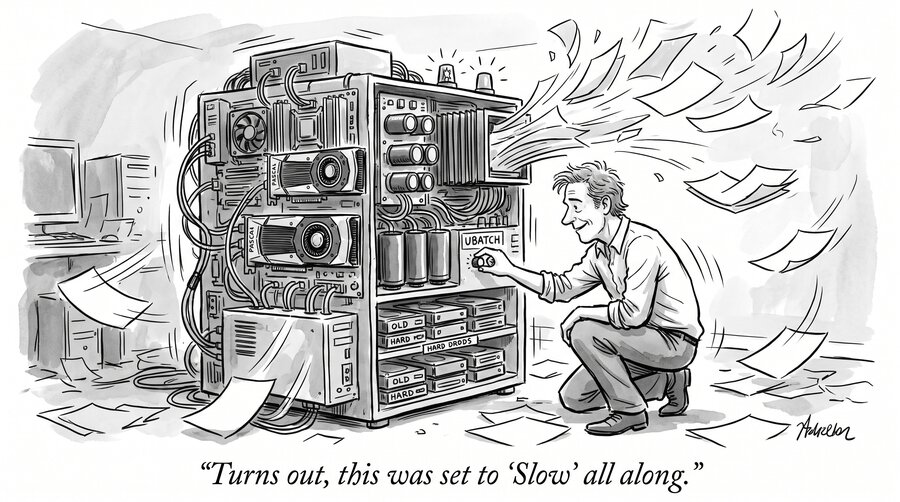
Follows the $1,000 eBay series: 200 Billion Parameters for $1,000, The $1,000 Box, One Month On, The Junk Drawer Upgrade, and Qwen3.8-27B on Three Boxes.
TL;DR
Every post in this series has ended with the same caveat: on a $1,000 eBay box, prompt processing (prefill) is the tax you pay for running giant models. It turns out some of that tax was a default setting. When llama.cpp keeps a mixture-of-experts model’s experts in system RAM, it ships those expert weights across PCIe to the GPU once per micro-batch during prefill, and the default micro-batch is only 512 tokens. Raising ubatch-size to 2048 or 4096 cut those trips by 4–8×. Across eleven 107B–320B models on the same dual-Xeon, dual-Pascal box, prefill improved by a median of +97%, from +29% to +150%. Generation speed, already tuned last time with MTP, is unchanged. No new hardware or model files. The price is GPU memory: four models had to hand a few expert layers back to the CPU, costing at most about 4% of generation speed. One configuration crashed the whole machine twice.
The original post in this series made a deliberately narrow claim: for about $1,000 of eBay parts, you can run 200B-class mixture-of-experts (MoE) models locally. You trade concurrency and prompt-processing speed for access. “The $1,000 Box, One Month On” added multi-token prediction and pushed generation speed up 50–90%, then ended on the same honest note: “Prefill is still the tax.” A 30,000-token document at 40 tokens per second is a coffee break.
I had accepted that as physics. Old Xeons have almost no compute, prefill is compute-bound, end of story. That was wrong, or at least badly incomplete. Note that the costs mentioned here are the prices I paid on eBay and FB Marketplace BEFORE the RAMpocalypse.
The Box, Briefly
Same machine as before: two Intel Xeon E5-2698 v4s (2016 Broadwell, 40 physical cores), two Quadro P5000s with 16 GB each, and 192 GB of DDR4, thanks to the $50 of junk-drawer RAM from “The Junk Drawer Upgrade.” The models are 4-bit quants run with llama.cpp’s --cpu-moe: the giant pile of expert weights lives in system RAM, and the GPUs handle attention and the KV cache. Nothing in this post required new hardware; the gain comes from moving fewer bytes over PCIe, not from the extra RAM.
Where the Prefill Time Actually Goes
Here’s the mechanism I had missed. During generation, the CPU runs the expert math itself, one token at a time. But for big batches, which is exactly what prefill is, llama.cpp judges that the GPU will win even counting the copy. So for each batch it streams that layer’s expert weights from system RAM over PCIe into the GPU and does the matrix math there.
That copy happens once per micro-batch, and the default micro-batch (--ubatch-size) is 512 tokens. A 3,000-token prompt is therefore six full trips of the expert weights across a PCIe 3.0 bus that sustains about 20 GB/s across both cards, and far less while 40 CPU cores are hammering the same memory controllers. The 2016 silicon wasn’t the limit. The box spent most of its prefill time re-sending the same weights. It also explains the junk-drawer post’s finding that “prefill tracks bytes added”: a bigger quant means more expert bytes on every one of those trips.
Raise the micro-batch to 4096 and that same prompt needs one trip instead of six. Generation never touches this path, because it processes one token at a time.
The Results
I tuned every model on the box that keeps its experts in RAM. Each model was benchmarked against a same-session baseline, never an old table entry, then had to survive a 27,000-token prompt (and an image, for the vision models) before its new setting was kept.
| Model | Parameters | Setting | Prefill before → after | Change |
|---|---|---|---|---|
| Nemotron-3-Super | 120B | 4096 | 70.9 → 177.4 tok/s | +150% |
| Step3.7-Flash | 198B | 4096 | 65.7 → 158.9 | +142% |
| GLM-4.6V (vision) | 107B | 4096* | 75.9 → 178.1 | +135% |
| Qwen3.5-122B | 122B | 4096* | 108.5 → 240.2 | +121% |
| GLM-5.3-Flash | 320B | 4096 | 37.8 → 81.2 | +115% |
| MiniMax-M2.7 | 230B | 2048 | 51.8 → 102.0 | +97% |
| Hunyuan Hy3 | 295B | 2048 | 38.1 → 71.0 | +86% |
| Laguna-S | 118B | 4096 | 107.6 → 198.8 | +85% |
| gpt-oss-120b | 120B | 4096* | 191.6 → 315.9 | +65% |
| Qwen3.8-Next | 125B, plus 51B n-gram table | 2048* | 151.0 → 225.5 | +49% |
| DeepSeek-V4-Flash (IQ3) | 284B | 2048 | 53.0 → 68.4 | +29% |
* Some expert layers were moved from GPU back to CPU to make room; see below.
Why do some models stop at 2048? The bigger the micro-batch, the bigger the scratch space the GPU must hold for it, and these cards have only 16 GB each. Hunyuan Hy3 and MiniMax already fill most of that with attention weights and a 131,000-token KV cache, so 4096 failed outright at load time while 2048 fit with a gigabyte or two to spare. The two biggest winners, Nemotron and Step3.7, keep all their experts in RAM. They had the most redundant copying to eliminate and plenty of free VRAM to spend on bigger batches.
GLM-5.3-Flash, a 320B hybrid llama.cpp began supporting this week, was briefly the slowest prefill on the box at 37.8 tok/s. At 81 tok/s it now ingests a 3,000-token prompt in 37 seconds instead of 80.
The gains hold on long prompts too. At about 27,000 tokens, Qwen3.5-122B processes 184 tok/s, gpt-oss-120b 302, and Nemotron 195. Hunyuan Hy3, the slowest model in the rack, went from 34 to 64 tok/s on a 13,000-token prompt. That’s the difference between a 6½-minute wait and a 3½-minute one.
What It Costs
GPU memory. Bigger micro-batches need bigger scratch buffers on the GPU. On models whose spare VRAM was already full of offloaded expert layers, 4096 simply wouldn’t load, so I moved two or four expert layers back to the CPU to make room. That costs generation speed, but less than I feared. GLM-4.6V lost 4.4% in a same-session A/B (9.06 → 8.66 tok/s); gpt-oss lost about 4%; Qwen3.5-122B lost nothing measurable. For a box that spends its life reading long documents, trading 4% of decode for 2× prefill is easy.
Generation is unchanged, and that was already done. Tokens-per-second while the model is answering did not move here. We had already worked on decode speed in the last post by optimizing multi-token prediction, which took Qwen3.5-122B from 11 to 17 tok/s. This post finishes the other half: it doubles how fast the box reads.
Loading isn’t passing. Several configurations loaded cleanly, then ran out of GPU memory partway through a long prompt. That’s why every kept setting had to survive 27,000 tokens.
Where It Didn’t Work
DeepSeek barely benefits. The IQ3 version gained only 29%, and the Q8 version got slower on long prompts. DeepSeek-V4’s prefill is dominated by its own attention machinery rather than by expert transfers, so there’s less PCIe waste to recover. The DeepSeek variant I use most, with its 10 GB speculative-decoding drafter, can’t spare the memory for even a 1,024-token micro-batch.
One configuration crashed the machine. Twice. Qwen3.5-122B with multi-token prediction, at a 2,048-token micro-batch, hard-reset the entire server. There was no kernel panic and no out-of-memory error. The logs simply stop at the moment the model loads. The tuning run treated the first reset as an unrelated reboot, resumed the same config, and took the box down again. These 2016 Pascal cards have a known history of freezing under large attention batches, and this model now stays on its old settings. If a machine reboots during a tuning run, assume the tuning caused it until the logs prove otherwise.
How to Try It
In llama.cpp, the flags are -ub 4096 -b 4096. The batch size has to be at least as large as the micro-batch, and the default batch is only 2048. Then:
- Start at 4096 and fall back to 2048 if the model won’t load or runs out of memory.
- Test with your longest realistic prompt, not a short one. Memory peaks on long inputs.
- Watch GPU memory. If the cards were already full of offloaded experts, move a layer or two back to the CPU (raise
--n-cpu-moe) and measure what that costs your generation speed.
Conclusion
For months I treated slow prefill as the price of running frontier-scale models on hardware that costs as much as a used laptop. Some of that price is real: these are 2016 cores with no tensor units. Better prefill is still nowhere near what a modern Blackwell card does. Qwen3.8-Next now processes prompts here at about 225 tok/s; on our RTX PRO 6000, the same model prefills at roughly 12,000 tok/s, more than 50 times faster. But a large share of it was a default chosen for machines that keep the whole model in VRAM, and one setting gave it back. Same box, same models, same $1,000 of eBay parts. It now reads about twice as fast.